Running Collections at Scale
Sending requests one by one is exploration. The Collection Runner executes the whole suite — every request, every test, in order — and is the same engine your CI pipeline will drive in Part V.
Run from the Run Tab
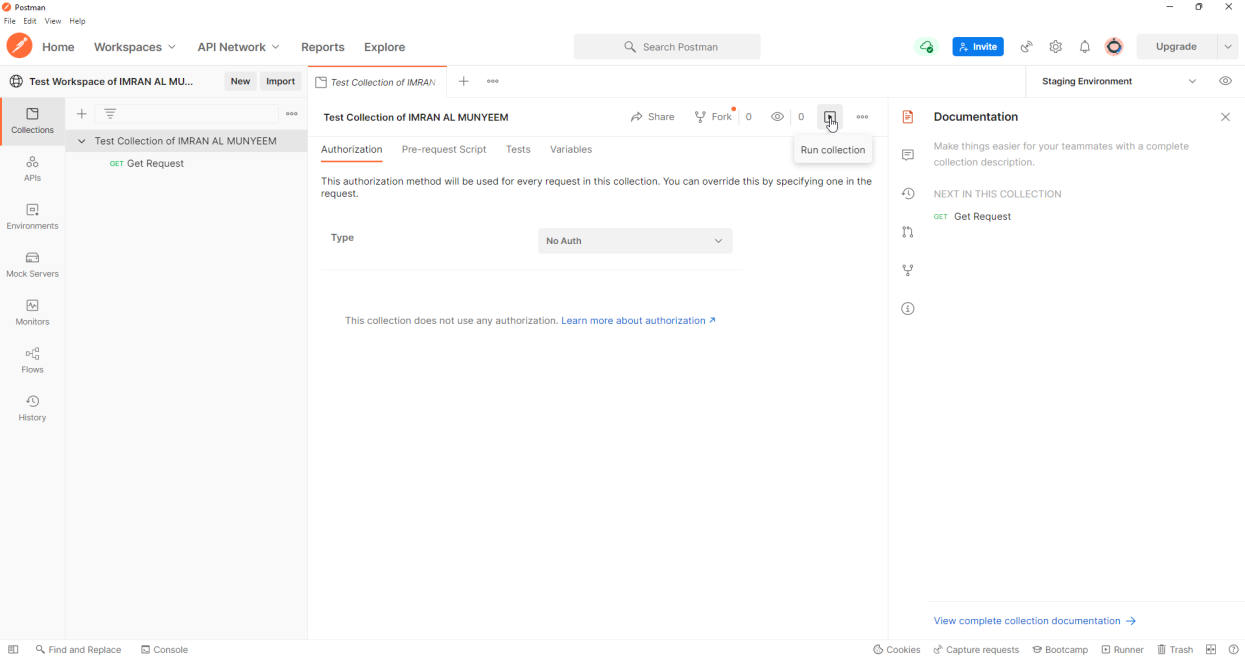
Step 1 — Select your collection and click the Run button.
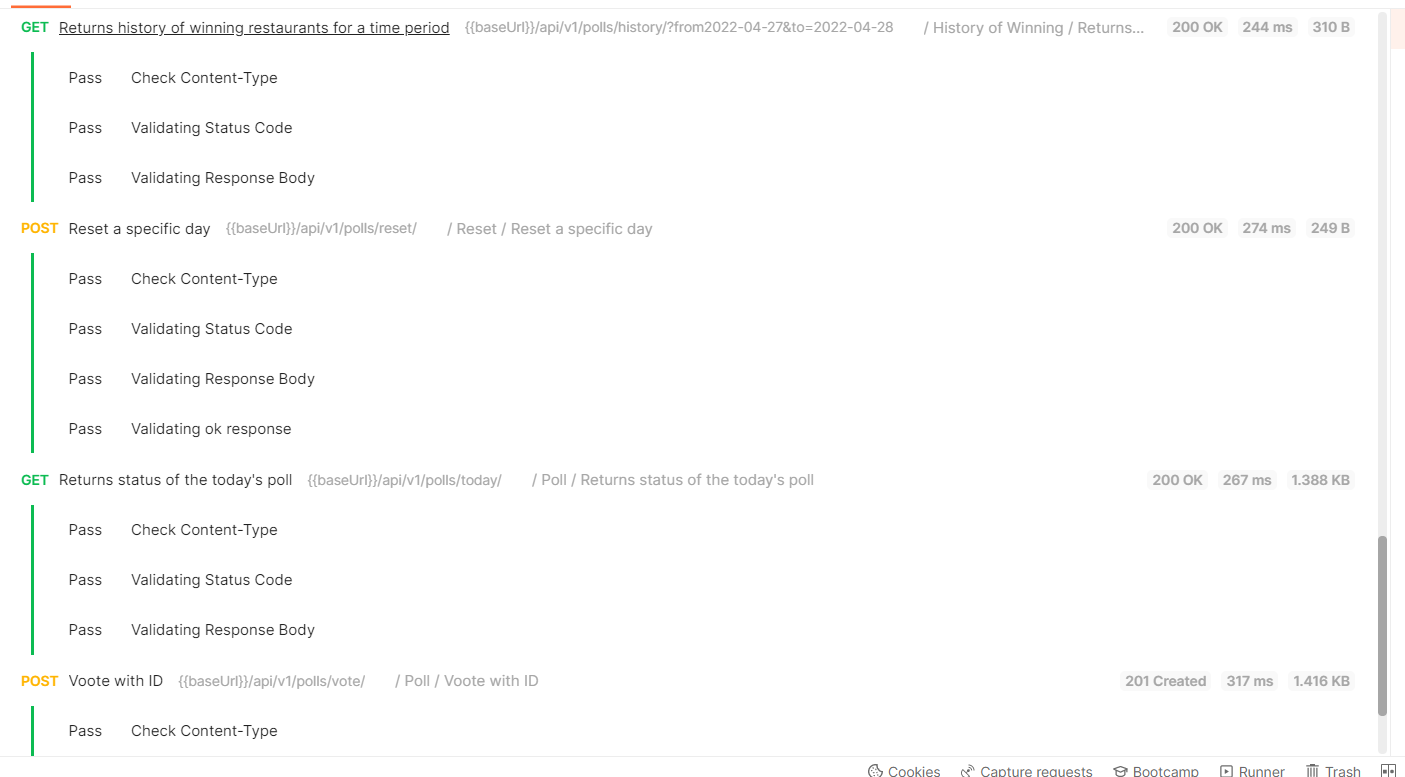
Step 2 — Iterations defaults to 1, meaning the whole suite runs once. Click run, and watch the results stream in: each request with its status, time, size, and every test's pass/fail.
Run from the Actions Menu
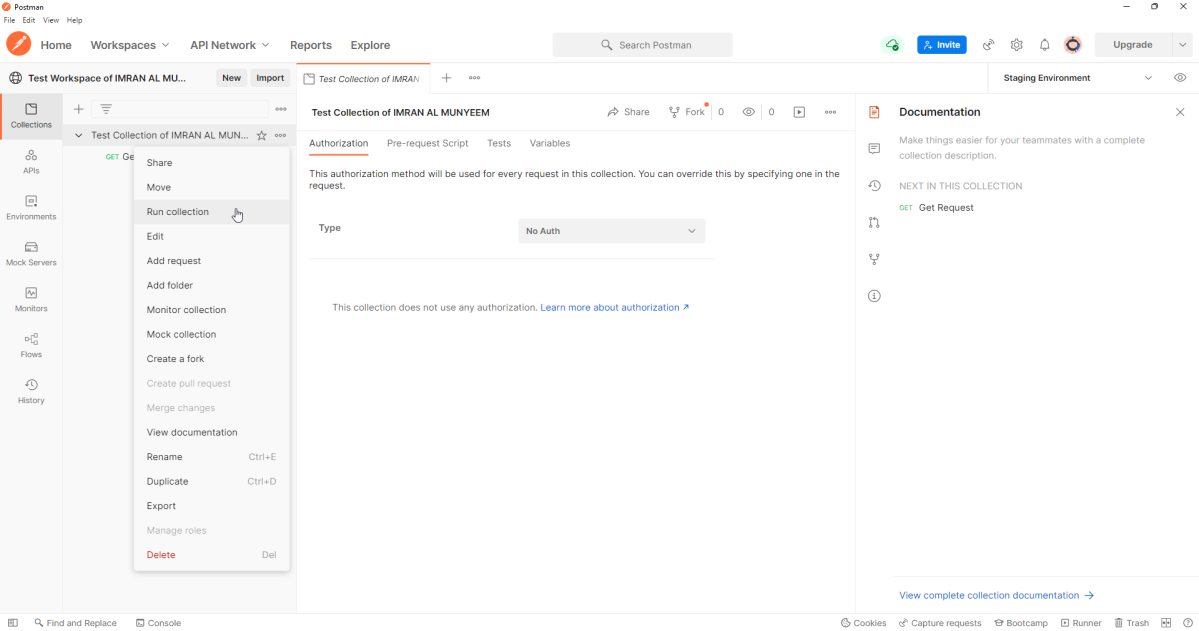
Step 1 — Click on Run from the […] menu.
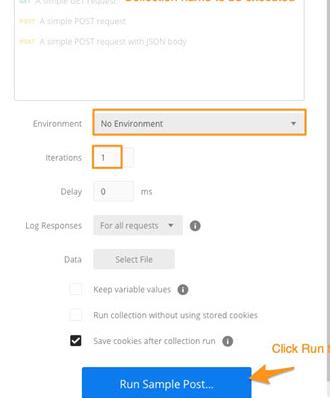
Step 2 — Configure the run — environment, iterations, delay, data file — then start it.
The options that matter:
- Environment — which set of variables to run against; this is where the staging/production switch pays off.
- Iterations — run the suite N times; combined with random data (Chapter 7), a quick stability check.
- Delay — milliseconds between requests, a courtesy to rate-limited APIs.
- Data file — the gateway to data-driven testing, next.
Data-Driven Testing
Supply a CSV or JSON file and the runner executes one iteration per row, resolving {{columnName}} variables from the file. A login endpoint tested against a spreadsheet of credential cases is the classic example:
email,password,expectedStatus
valid@example.com,correct-pass,200
valid@example.com,wrong-pass,401
,correct-pass,400
not-an-email,correct-pass,400
The request body uses {{email}} and {{password}}, and the test reads the expectation from the same row:
pm.test("Status matches the data file", () => {
    pm.response.to.have.status(
        Number(pm.iterationData.get("expectedStatus"))
    );
});
One request, one test, dozens of cases — and adding a case is now a spreadsheet edit, which means non-programmers on the team can extend coverage. This is Chapter 8's negative-and-boundary strategy industrialised.
Scheduled Runs and Performance Tests
From the runner screen you can also schedule the collection to run on Postman's cloud at a chosen frequency — a zero-infrastructure nightly regression, with results waiting in the workspace each morning. And on paid plans, the same screen offers performance testing: simulated virtual users driving your collection in parallel, with latency and error-rate graphs. Performance runs answer the question functional tests cannot: does the API stay correct under load? Watch for the tell-tale professional finding — response times that hold steady while error rates climb, or vice versa.