Variables and Environments
Hard-coded values are the enemy of scale. The moment your suite must run against staging and production, or a hundred requests share one base URL, you need variables — and Postman's variable system, used well, is what makes a collection portable across machines, environments, and CI pipelines.
Create an Environment
An environment is a named set of key–value pairs. The same collection, pointed at different environments, becomes a smoke suite for every stage of your pipeline.
Step 1 — Click on the eye icon.
Step 2 — Click on the Add button and give the environment a name — Staging, say.
Step 3 — Set the VARIABLE as baseUrl and the INITIAL VALUE to your API's base URL — for example https://jsonplaceholder.typicode.com, or your team's staging URL.
N.B.: The CURRENT VALUE is set automatically after you set the initial value.
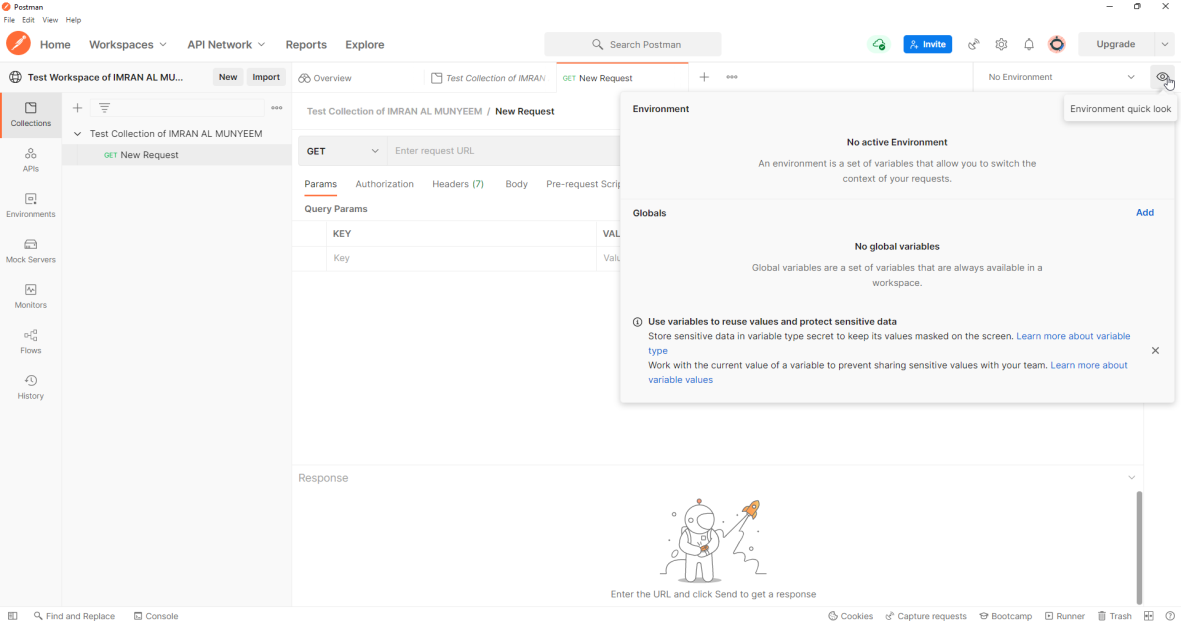
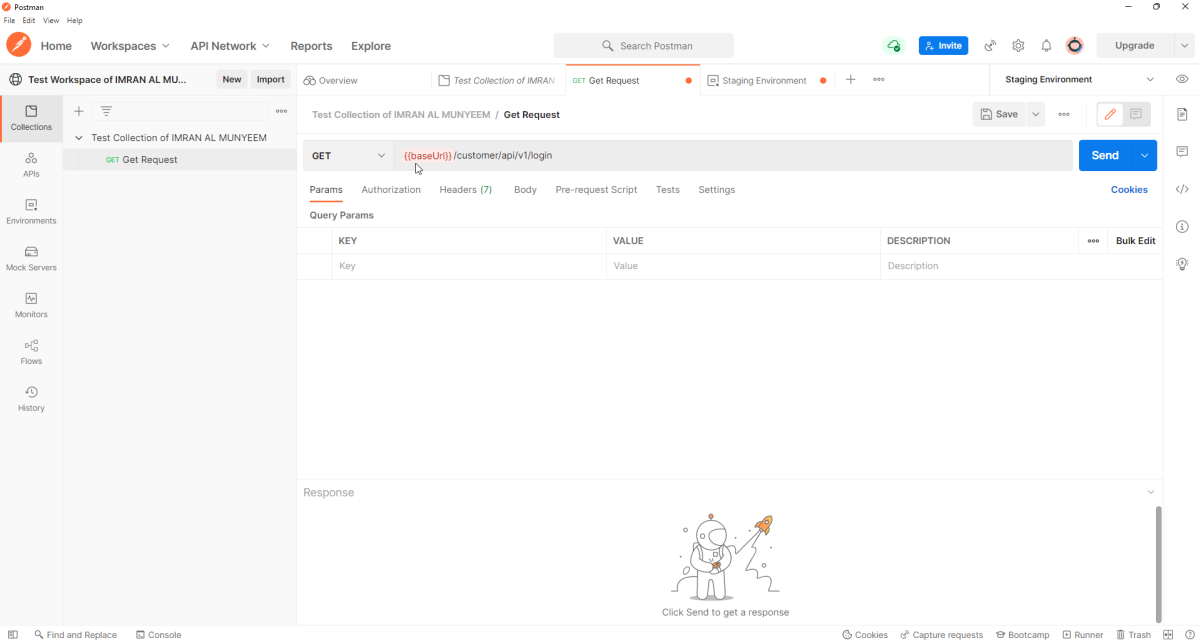
Step 4 — Now go back to the collection and replace the hard-coded base URL with {{baseUrl}}.
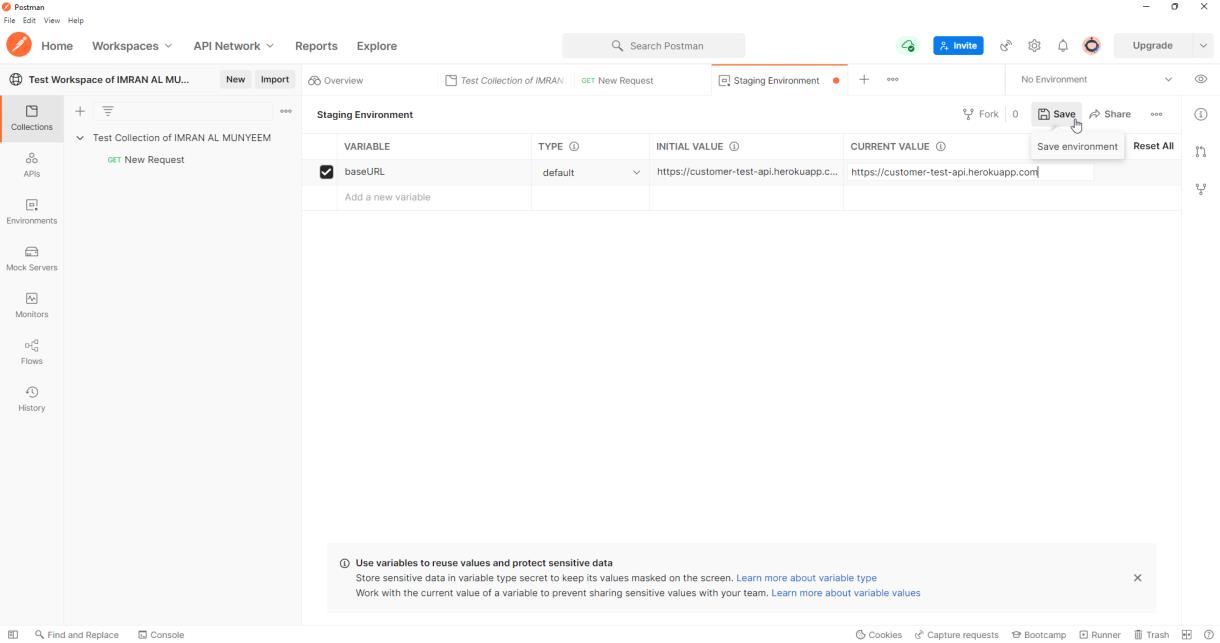
Step 5 — Click the Save button after adding the URL and variables.
Important note: when you use a variable, reference it inside double curly brackets. You will see {{baseUrl}} turn orange when it resolves. If it stays red, either the name is misspelt or no environment is selected.
Step 6 — Select the environment from the environment list.
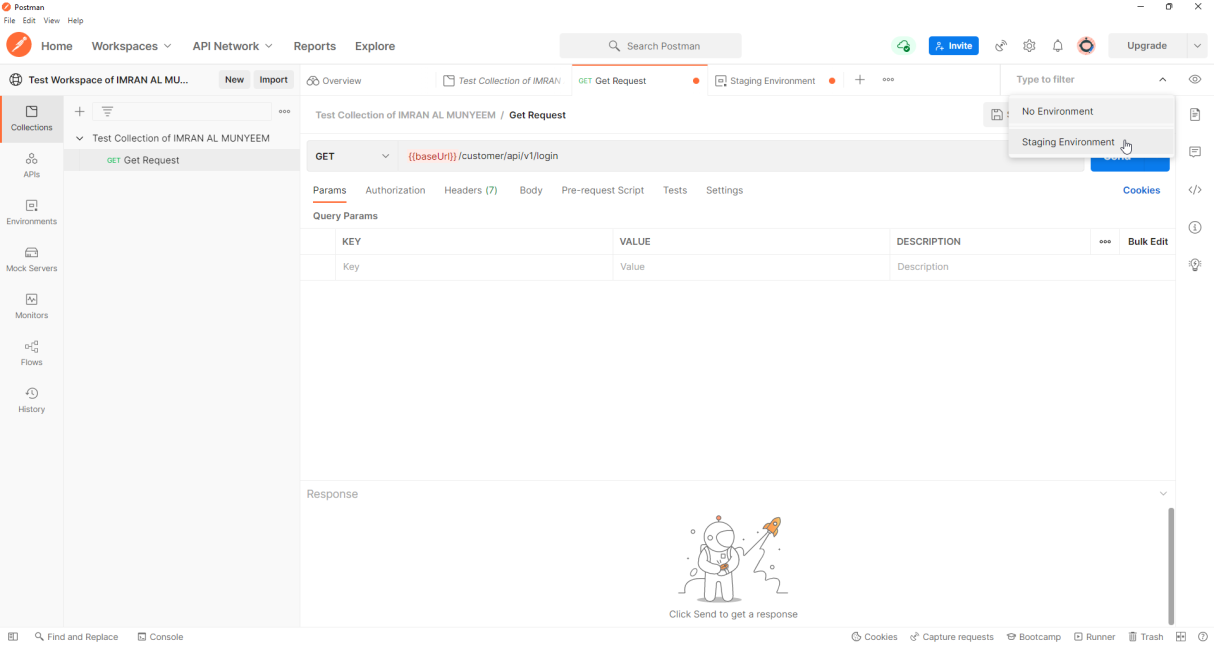
Create a second environment — Production — with the same variable names and different values, and switching your entire suite between environments becomes a one-click act. That symmetry of names is the discipline: environments should differ in values, never in structure.
The Five Variable Scopes
Postman resolves variables through five scopes, narrowest wins:
local > data > environment > collection > global
- Global variables live outside any environment — quick, convenient, and best kept for prototyping.
- Collection variables travel with the collection, making them ideal for constants that belong to the suite itself (API version strings, fixed test record IDs) — they work even when someone imports your collection without your environments.
- Environment variables are the workhorses: everything that differs between staging and production.
- Data variables come from a CSV/JSON file during data-driven runs (Chapter 10).
- Local variables exist only for a single request or iteration — set them in scripts to override everything temporarily; they vanish when the run ends.
In scripts, each scope has an API: pm.environment.get("baseUrl"), pm.collectionVariables.set("userId", id), pm.globals.get(...), and the scope-walking pm.variables.get(...) which respects the precedence order.
Secrets: the Part Everyone Gets Wrong Once
Two facts about Postman variables have security consequences:
- Initial values sync to Postman's servers and are shared with anyone who can see the workspace. Current values stay local to your machine.
- Exported environment files contain values in plain text.
Therefore: real credentials go in current values only; set their variable type to secret so they are masked on screen; and for the most sensitive material, use Postman Vault, which keeps values encrypted locally and entirely out of cloud sync. In CI, don't ship credentials in files at all — inject them from the pipeline's secret store (Chapter 13 shows how).
Pitfall: the classic leak is a Bearer token pasted into an initial value "just for a second," then synced, then forked into a public workspace. Decide your secret-handling rules on day one, before there is anything to leak.